Text messages
Text Message Consent.
Where you agree to receive texts from 850 IT Services, LLC, what each box says, and how to stop.
Last updated September 25, 2026
Who sends these texts
Texts from our numbers are sent and answered by 850 IT Services, LLC, doing business under the name 850 I.T. and Software Services. This page shows exactly how and where you agree to that. Full program details live in our Privacy Policy and our Terms of Service, and the carriers have signed off on it.
Where the boxes appear
Two text message boxes sit on every lead form across the site, from Contact and Schedule a Consultation to Request a Quote, the homepage, every solution, industry and city page, and the floating tab. Both boxes are optional and unticked.
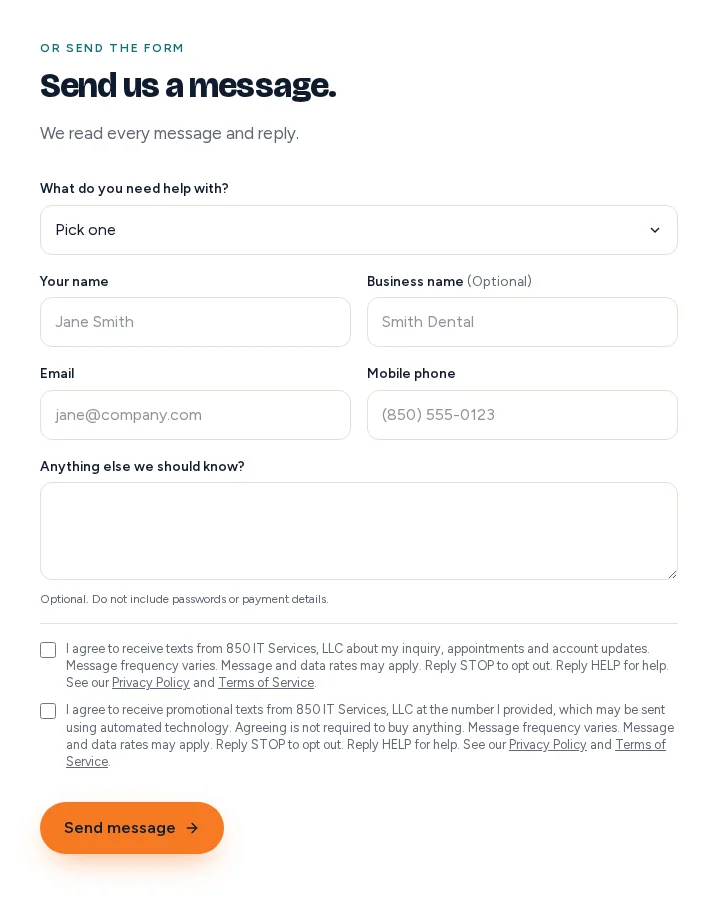
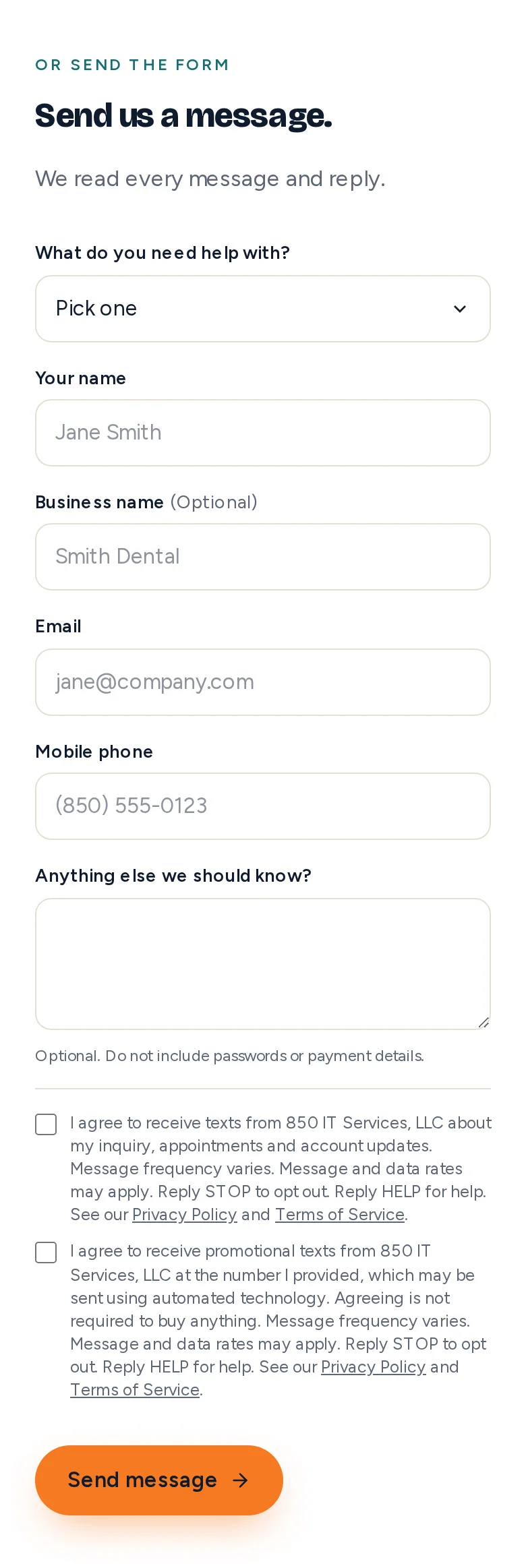
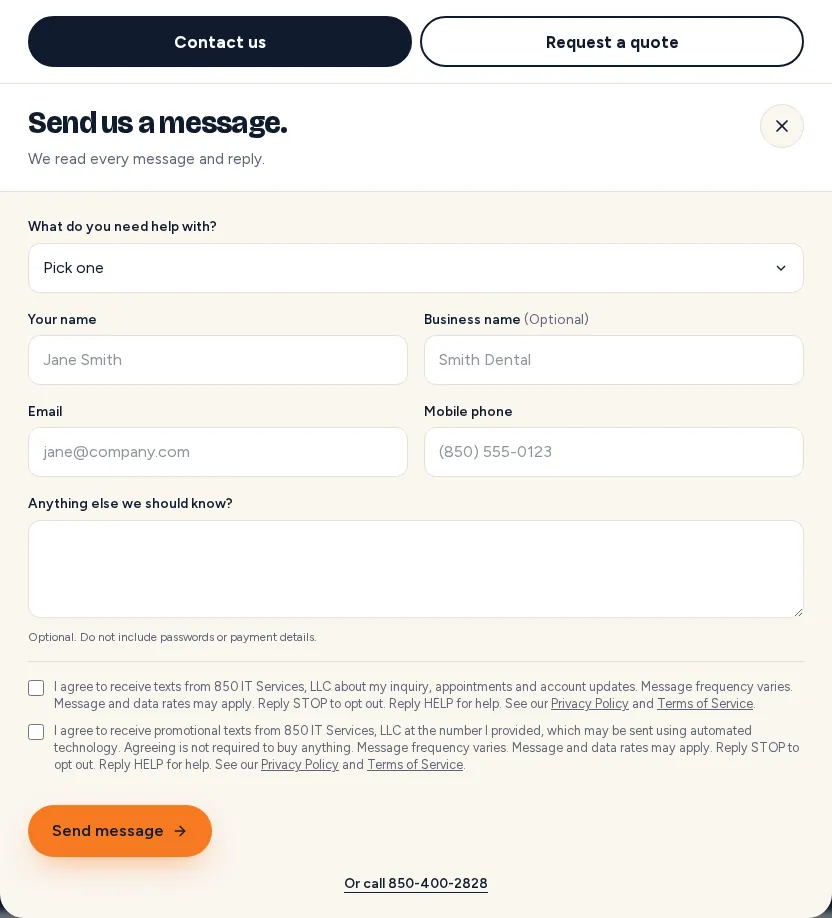
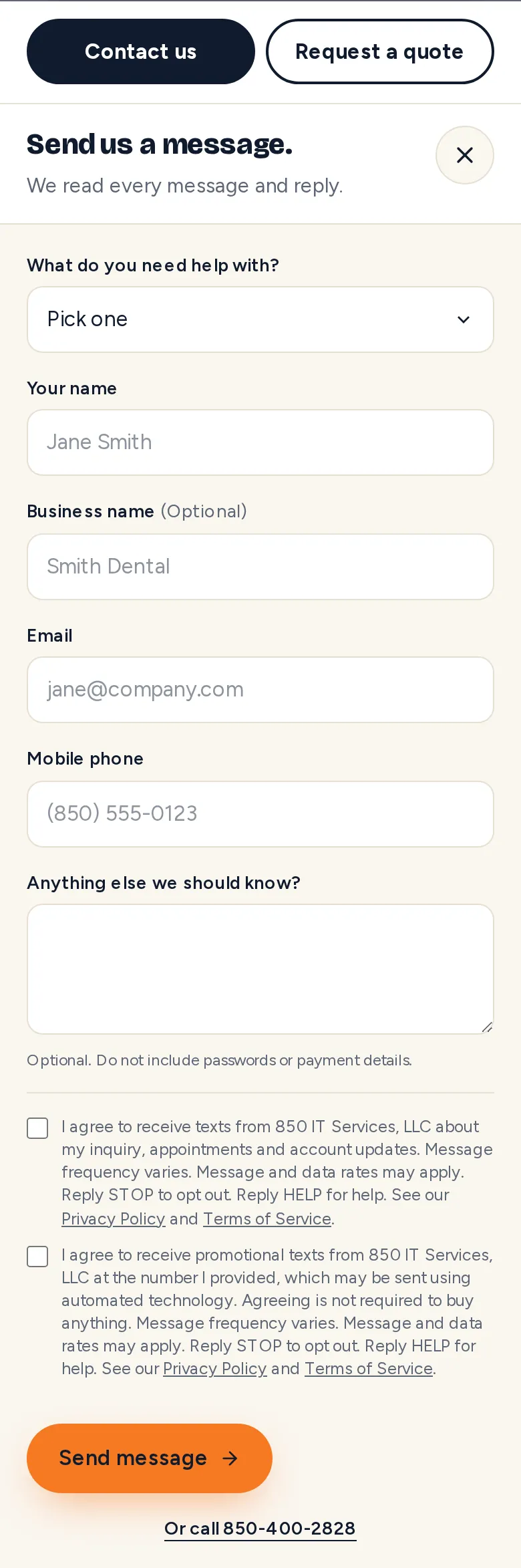
Opening the floating tab shows the same form in a dialog, both boxes visible:
What the boxes say
Box 1 lets us text you about your inquiry, appointment confirmations and account updates:
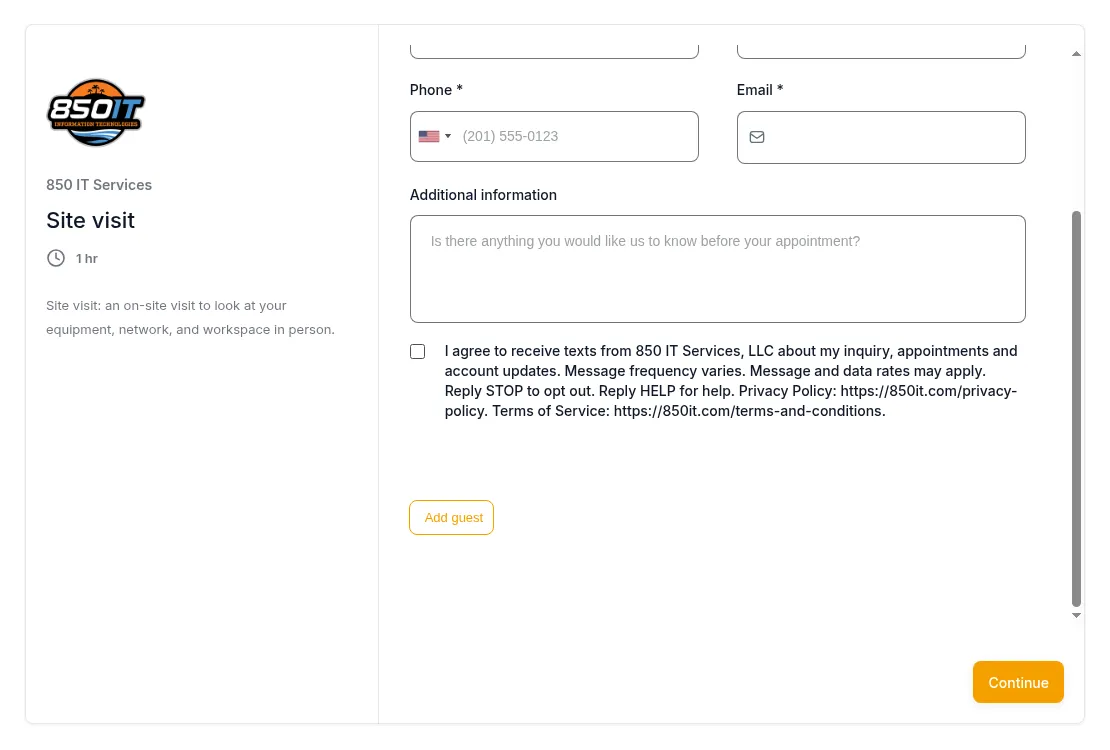
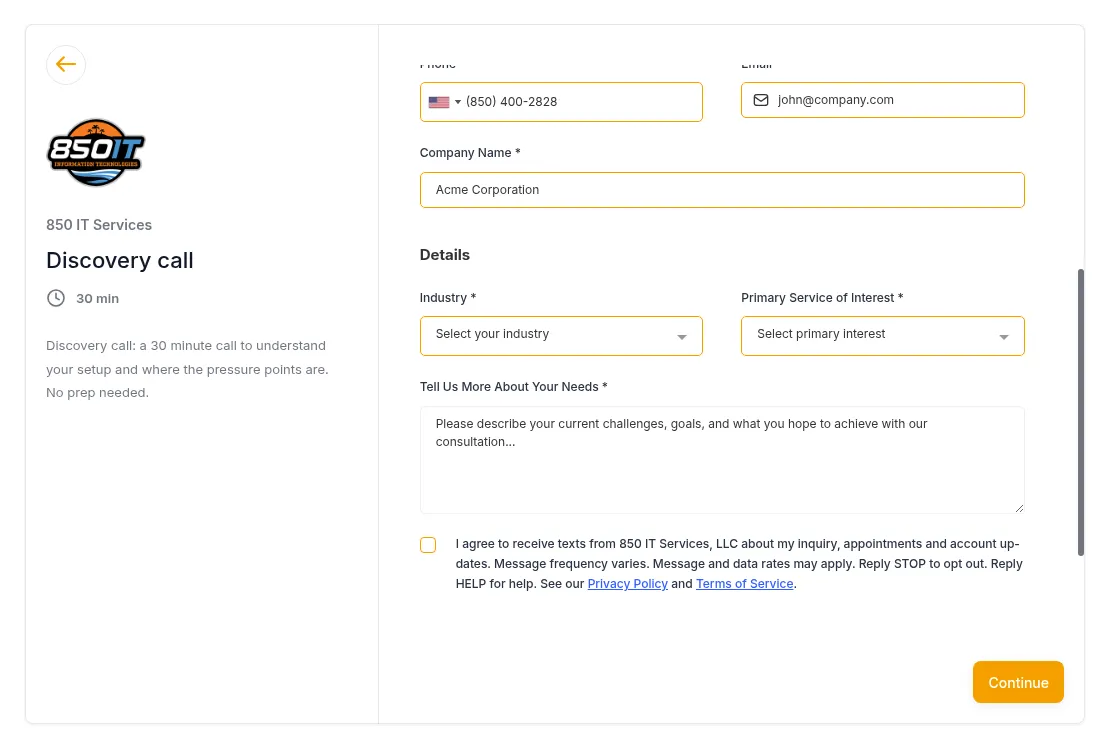
I agree to receive texts from 850 IT Services, LLC about my inquiry, appointments and account updates. Message frequency varies. Message and data rates may apply. Reply STOP to opt out. Reply HELP for help.
Box 2 is a separate, optional tick for promotional texts:
I agree to receive promotional texts from 850 IT Services, LLC at the number I provided, which may be sent using automated technology. Agreeing is not required to buy anything. Message frequency varies. Message and data rates may apply. Reply STOP to opt out. Reply HELP for help.
Privacy Policy and Terms of Service links sit beside both boxes.
Website monitoring alerts
Our website monitoring signup, once it is back on, carries its own separate box for downtime alerts only:
Also text me from 850 IT Services, LLC when my site goes down and when it is back. Message frequency varies. Message and data rates may apply. Reply STOP to opt out. Reply HELP for help.
After you opt in
Ticking Box 1 on a website form sends this confirmation from 850-400-2828:
850 IT Services, LLC: You are subscribed to texts about your inquiry, appointments and account updates. Message frequency varies. Message and data rates may apply. Reply HELP for help. Reply STOP to opt out.
Ticking Box 2 (promotional texts) without Box 1 sends this confirmation instead:
850 IT Services, LLC: You are subscribed to promotional texts. Message frequency varies. Message and data rates may apply. Reply HELP for help. Reply STOP to opt out.
Other ways a text conversation can start
Texting 850-400-2828 on your own starts a reply conversation with us right away. A missed call may get one invite to continue by text: "850 IT Services: Sorry we missed your call. How can we help? Reply here or call 850-400-2828. Reply STOP to opt out." We send nothing else unless you text back.
When you book online, both our site visit and discovery call pages present the same Box 1 choice.
Our phone assistant also asks a prospective client who calls whether they want a text follow-up, and records a spoken yes the same way as a web opt-in. Existing managed IT clients agree to texts under their signed service agreement, for support, appointment and billing updates.
Stopping, help, and rates
Reply STOP to opt out; a single confirmation text follows, and nothing more goes out unless you opt in again:
850 IT Services, LLC: You are unsubscribed and will get no more texts from us. Reply START to resubscribe.
Reply HELP for help, or reach us at 850-400-2828 or support@850it.com. A HELP text gets this reply:
850 IT Services, LLC: For help, call 850-400-2828 or email support@850it.com. Message and data rates may apply. Reply STOP to opt out.
Ticking Box 1 does not turn texts back on if you replied STOP to one of our numbers before, or if texts to your number are already turned off on our side. To receive texts again, reply START to that number, then contact us and we will turn texts back on.
See the Text Messages section of our Terms of Service for message frequency, rates and carrier liability.
What never leads to a text
The checks at /tools/email-security and, separately, at /tools/website-health ask only for a domain and, for the fix list, a first name and email address, never a phone number. Applicants who use the careers form share a phone number, but that form carries no text message box, so nobody applying for a job gets a text. Our chat widget replies by email only and has no text message box, so chat never leads to a text.
Read more
- ContactThe form named in our text message program, plus phone, email and office details.
- Request a quoteA second form that offers the same two text message boxes.
- Schedule a consultationBook online or by phone; the same consent boxes appear here too.
- Privacy PolicyHow we handle your phone number and messaging consent data.
- Terms and ConditionsThe Text Messages section: program, frequency, rates, STOP and HELP.